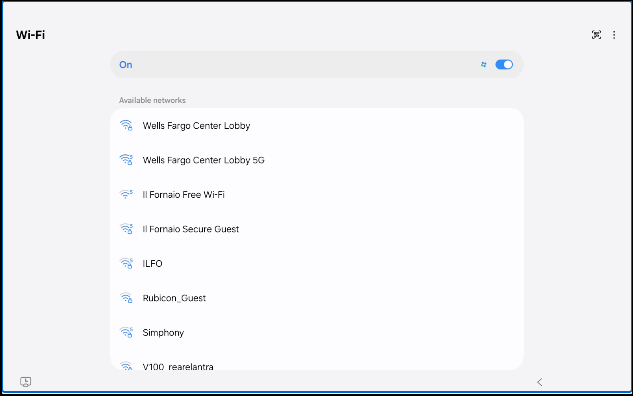
Step 1: Tap the MENU icon in the top left corner of the touchscreen
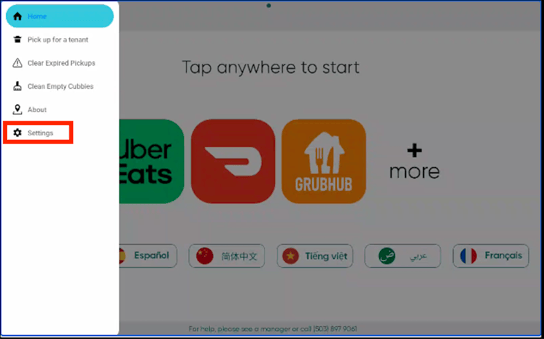
Step 2: Select SETTINGS from the drop down menu
Step 3: Enter your 4 Digit Access Code
*Don't know your 4-digit code? Visit this article (How do I find my 4-Digit Access Code), or contact Minnow Support at 503-897-9061
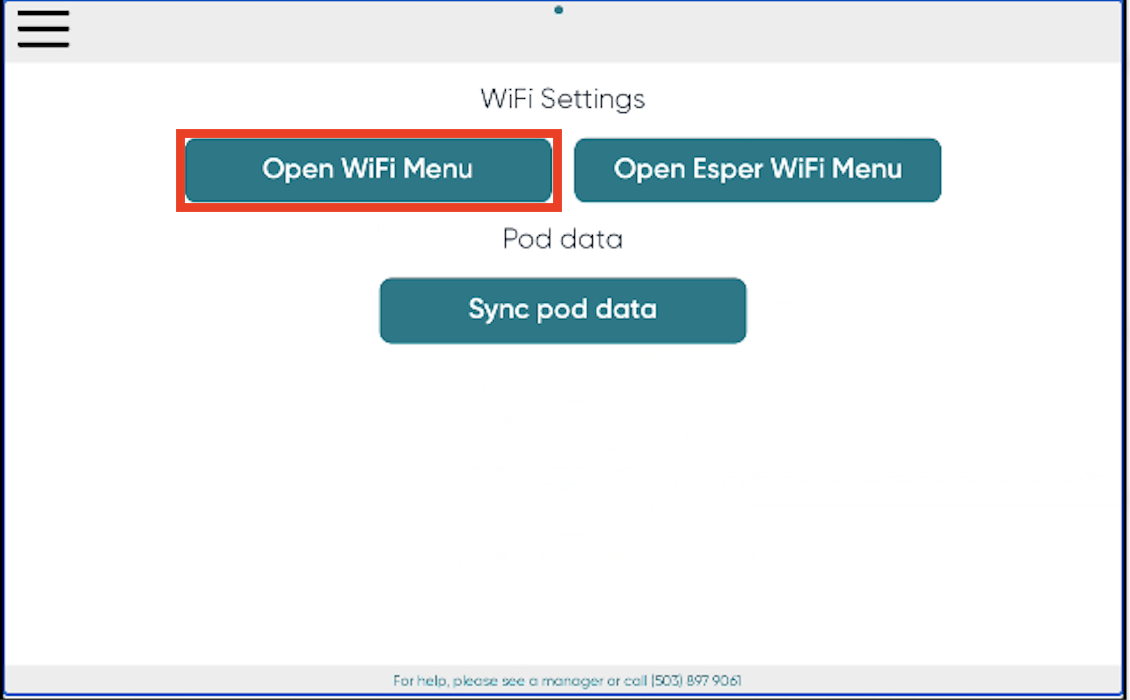
Step 5: Select Open WiFi Menu
Step 6: Select the WiFi Network you'd like to connect to