Step 1. Open your Uber Eats App
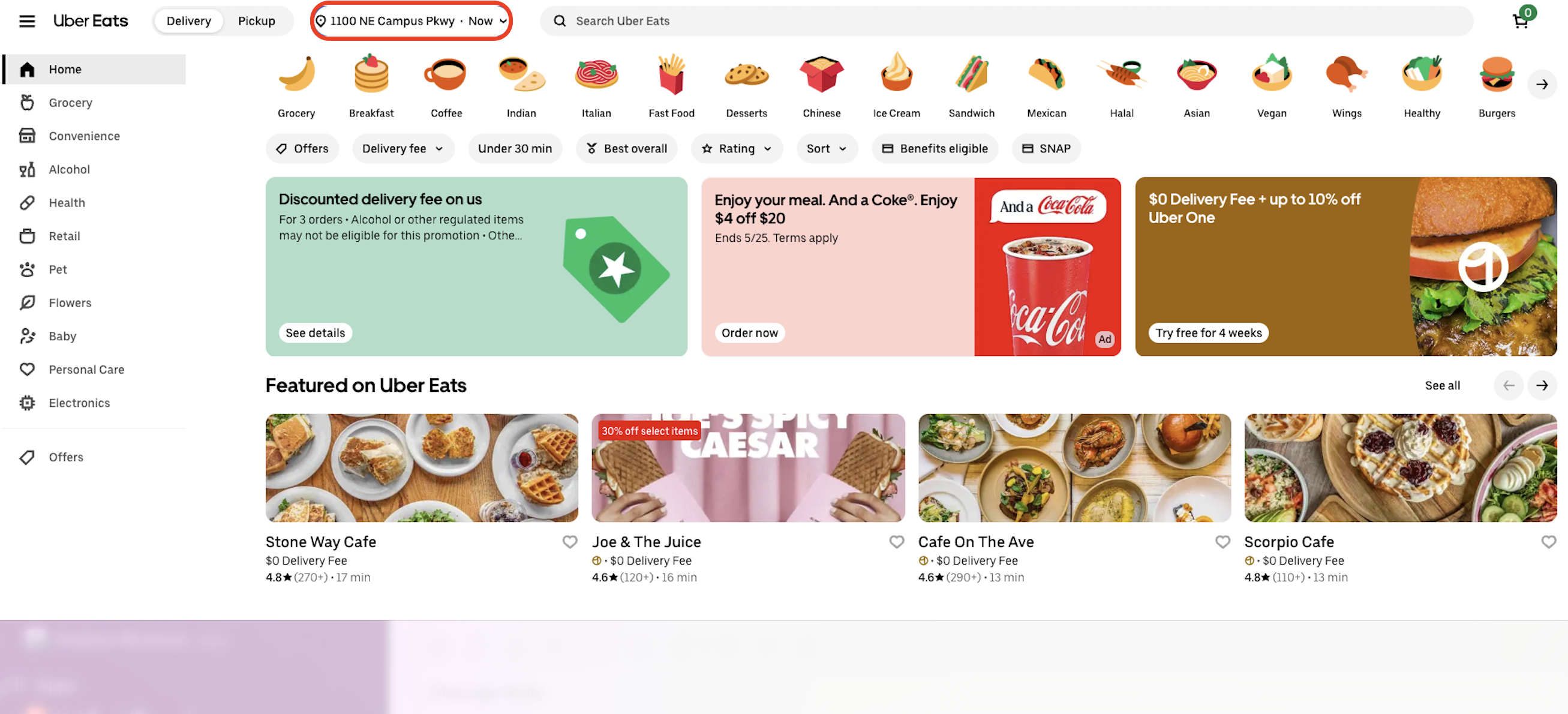
Step 2. Click on your location/address at the top of the app
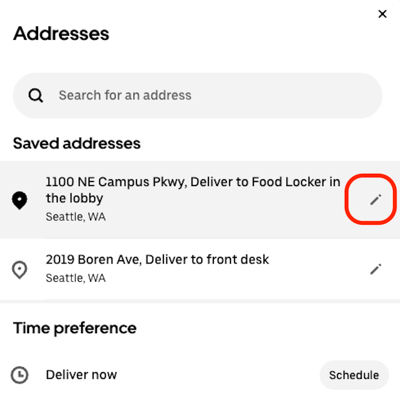
Step 3. Select the "edit/pencil" icon to the right of your address
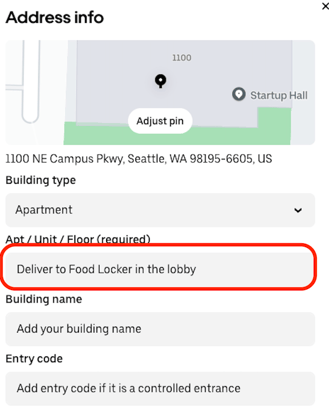
Step 4. Add "Deliver to the food locker located in the lobby" in the Apt/Unit section
- IMPORTANT - If your Minnow Pod is not easily seen from the main lobby, please leave instructions on where the delivery driver can find the pod.
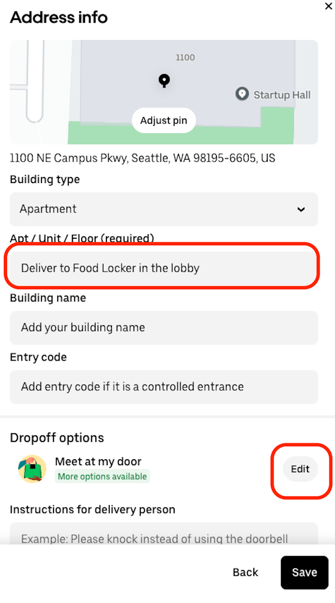
Step 5. In the "Dropoff Option" section, select Edit
Step 6. In the "Leave at location" section, select the option, "Leave at building reception" and then add the following delivery instructions:
"Deliver to the food locker located in the lobby"
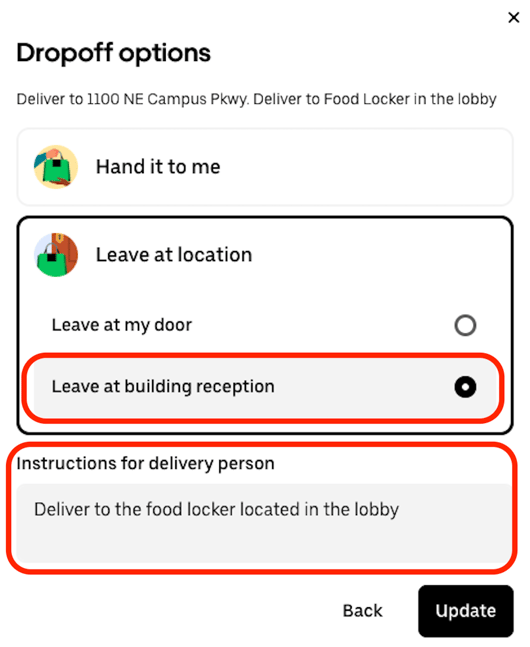
Step 7: press "Update"